Most owners we talk to handle new business the same way: things get slow, so they spend a frantic afternoon searching, calling, and knocking. Then work picks up, prospecting stops, and a few months later it's slow again.
The problem isn't effort. It's that every round starts from zero. You rebuild the same list, forget who you already called, and lose track of the ones who said "not right now, check back in the spring."
A maintained prospect list fixes that. When you already know the forty commercial properties in your area that fit what you do, who to ask for, and when you last spoke, outreach stops being a cold start. It becomes twenty minutes on a Tuesday.
Building that list by hand is the part that never happens. So let's have AI build it and keep it current.
The goal isn't automated outreach. It's a list good enough that reaching out feels easy.
Six steps. Work through them in order and you'll finish with a working prospect workbook and an assistant that refreshes it on a schedule.
Step 1Decide exactly who you're looking for
This is where most prospecting goes wrong. "Businesses that need cleaning" is not a target. It's everyone with a floor. An assistant given that instruction will hand you six hundred rows of noise.
Get specific enough that you could look at any business and answer yes or no in three seconds. A useful target profile names the kind of business, the rough size, and the signal that tells you they're a fit.
Example target profile
Who: Commercial properties with recurring nightly or weekly cleaning needs: medical and dental offices, professional office suites, gyms and studios, churches, and small property management portfolios.
Size: 2,000 to 20,000 square feet. Big enough to need a real crew, small enough that the decision maker is on site.
Signal they're a fit: A physical location open to the public, an on-site manager or owner, and no in-house janitorial staff listed.
Write yours down in plain sentences. You're going to hand these exact words to the assistant, and it only knows what you tell it. A fuzzy description gets you a fuzzy list.
One more thing worth naming: decide who you are not looking for. Single-family homes if you only do commercial. National chains where cleaning is decided at a corporate office three states away. Anything under a certain size. Exclusions do as much work as the target does.
Step 2Pick one geography and finish it
The instinct is to go wide. Resist it. A complete list of one town beats a scattered list of five.
Pick the area you can actually service. Realistically, that's the radius your crew can reach without eating the margin. In a large metro that's a handful of adjacent suburbs, not the whole region.
Then define it in a way an assistant can work through methodically. Say you're in Atlanta. "The Atlanta metro" is useless as an instruction. There are more than five thousand commercial properties in it and an assistant will wander through them forever. Instead: Sandy Springs, Dunwoody, Brookhaven, and Chamblee. Four named places, worked one at a time.
You can always add Marietta and Decatur next month. What you can't do is finish "the Atlanta area."
Why this matters more than it sounds
A defined list of municipalities gives you something a vague radius never will: a finish line. You can tell when the area is done, and you can tell the assistant to move to the next one. Without it, research wanders and never closes.
When the first area is genuinely complete, you'll know whether the whole approach works before you've spent effort on a second one.
Step 3Decide what you need to know about each prospect
Every field you add is work the assistant has to do and work you have to verify. Only collect what changes whether or how you reach out.
Here's a set that earns its keep for commercial cleaning:
Business name
Exactly as it appears on their sign and listing.
Type
Dental, gym, church, office suite. Drives your pitch.
Address & town
Lets you route a day of visits geographically.
Phone
The single highest-value field. Prioritize it.
Website
Where the assistant confirms everything else.
Decision maker
Office manager, owner, facilities lead. Name if findable.
Size signal
Square footage, suite count, or staff count if published.
Fit notes
One line on why they match, or why they're marginal.
Source
Where the record came from. Makes it checkable.
Verified
Confirmed against a second source, or not yet.
Status
New · Contacted · Follow up · Not a fit · Won.
Last contact & next step
Two dates. This is what makes the list warm.
Those last three columns are the ones people skip, and they're the reason most prospect lists die. A list without status and dates is a snapshot. With them, it's a system you can actually work.
Step 4Build the workbook
A Google Sheet is enough. It's free, it opens on your phone, and any AI tool can read and write to it.
Make one tab called Prospects, with one column per field from Step 3. Add a second tab called Log where every research run gets a date, the area covered, and how many rows it added. That tab tells you whether the assistant is actually working over time.
Here's what a populated workbook looks like once the assistant has run:
Example rows. Business names and numbers are illustrative. Your assistant fills these with real, verified records.
Look at the last row. "Currently under contract, recheck in fall" isn't a dead end. It's the most valuable kind of row on the list. That's a warm call in September that you would otherwise never have made.
Step 5Write the assistant's instructions
An AI assistant is only as good as the brief you give it. You're not asking a question. You're handing it a job description.
Everything from Steps 1 through 3 goes into the brief. Here's the shape of it, with the parts you'll swap marked in gold:
Copy this and fill in your own details
You're my prospect researcher for [your business name], a commercial cleaning company serving [your area].
Who I'm looking for: [paste your target profile from Step 1]
Who I'm not looking for: [paste your exclusions]
Area to cover: Work through these places one at a time and tell me when each is complete: [your list of towns]
For each business you find, give me: [your column list from Step 3]
Rules: Only include businesses you can confirm from a real source, and name the source for each one. If you can't confirm the phone number or address, mark it unverified rather than guessing. Never invent a contact name. If you're unsure whether a business fits my profile, include it and flag it instead of leaving it out. Don't duplicate businesses already in the workbook.
Give it to me as: A table with one row per business, ready to paste into my sheet.
The rules paragraph is the important part. Left to its own devices, an AI will happily fill blank cells with plausible-sounding guesses. Telling it to mark uncertainty rather than resolve it is the difference between a list you trust and a list you have to re-check line by line.
Give it a name
This sounds like a small thing. It isn't. Naming the assistant Scout, or Ranger, or whatever fits how you talk, makes it a standing part of your week rather than a thing you occasionally remember to do. "Let me check what Scout found" is a habit. "I should do some prospecting research" is a chore.
Step 6Run it, verify it, then work the list
First run, keep it small. One town. Ask for twenty businesses, not two hundred.
Then check the work. Pick five rows at random and confirm them yourself. Call the number, load the website. You're not auditing every record, you're testing whether the assistant is reliable. Five out of five accurate means you can trust the next hundred. Three out of five means your brief needs tightening before you scale it.
Expect to tighten the brief twice
The first run almost always comes back too broad or too narrow. That's normal and it's fast to fix. Adjust the target profile, note what it got wrong, and run it again. By the third pass the results are usually good enough to stop tuning.
Once it's reliable, set the rhythm. Something like:
- Monthly: the assistant researches a new town or refreshes an existing one, and adds new rows.
- Weekly: you spend twenty minutes on the list, calling the New rows and anyone whose next step date has come up.
- After every call: update status, last contact, and next step. Thirty seconds. This is the whole system.
That last one is where the value compounds. Six months in, you're not prospecting anymore. You're working through a queue of businesses you've already qualified, most of whom you've already spoken to once.
Three ways to actually run this
You don't need to build software, and you don't need to learn to code. Pick whichever of these matches how much setup you're willing to do.
Our recommendation for most owners is Grok, xAI's assistant. Not because it's smarter than the alternatives, but because it has the one feature that matters here built straight in: it can run a job on a schedule, by itself, and message you the results. That's the difference between a tool you keep meaning to use and one that just works while you're on a job site.
1. Start here: the saved prompt
15 minutes · free tier works
Open Grok, ChatGPT, or Claude. Paste in your brief, run it, and copy the results into your sheet by hand. Save the brief where you can grab it again. A note on your phone is fine.
Best if: you're finding out whether this works at all. Start here even if you plan to go further. One real run teaches you more than a week of planning.
2. Where most owners should land: a Grok Automation
About 30 minutes · ~$30/mo+
Once the brief is producing good rows, turn it into something that runs on its own. In Grok this is called an Automation, and setting one up is closer to sending a text than configuring software:
- Create an account at grok.com. You'll want a paid plan for this kind of work, since the free tier limits how much you can run.
- Go to Automations and start a new one.
- Describe the job in plain language, the same way you'd explain it to a new hire. Paste in the brief you already wrote.
- Pick when it should run. Monthly is right for most cleaning businesses.
- Choose how you want to hear about it, by email or in the app.
- Name it and save.
Best if: the brief is working and you want the list maintained without remembering to maintain it. This is the version that genuinely runs without you.
3. Wired into your workbook
An hour or two · varies
The last step is closing the loop so the assistant writes rows into your sheet instead of handing you a table to paste. Grok, ChatGPT, and Claude can all connect to Google Drive, and Google's own Gemini works inside Sheets directly.
Worth knowing: connecting an assistant to a live sheet is newer ground than the rest of this, and how well unattended writing works varies by tool and changes often. Test it on a copy of your workbook before you point it at the real one.
Almost everyone should start at one and move up only when the step below becomes the bottleneck. Building the scheduled version before you've validated your target profile just means you've automated the wrong search.
One note on cost
You may run across Grok's heavier agent product, sometimes called Grok Bot, which gets its own machine and browser. It's genuinely impressive and it's overkill here. It sits on a tier that runs several hundred dollars a month, which makes no sense for maintaining a prospect list. A standard paid plan running a scheduled Automation does this job.
If you'd rather have it built
You don't have to do this part yourself
Plenty of owners read this far and think, "I understand it, I just don't have an afternoon to go learn a new tool." That's fair. Setting an agent up once is a different skill than running a cleaning company, and it's a reasonable thing to hand off.
For that we partner with NorthStarWay, who build agents and handle AI setup and integration for small businesses. Same approach described above, built around how your business actually runs instead of a template, and connected to the tools you already use.
Talk to NorthStarWay
The rules that keep this honest
A prospect list is a tool for reaching out to businesses that might genuinely want what you do. Used carelessly, it becomes spam, and spam is worse than no list at all, because it burns the reputation you'd need to try again.
- A human makes every contact. The assistant researches. You call. Automated mass outreach gets your number blocked and your domain flagged, and it doesn't work anyway.
- Verify before you dial. Unverified rows are leads to check, not leads to call. Nothing loses a prospect faster than getting their name wrong.
- Take no for an answer. If someone says they're not interested, mark it and stop. That's what the status column is for.
- Use public information only. Business name, address, published phone, website. Anything a customer could find walking down the street.
- Check the AI's work indefinitely. Not just at the start. Spot-check a few rows every run. Models drift, listings go stale, businesses close.
Done this way, the list makes you the cleaner who calls at the right time with the right person's name. That's not spam. That's just being good at this.
Start smaller than you think
Pick one town. Pick one type of business, just dental offices say. Write the brief, run it once, call five of them this week.
That's a real test, it takes an afternoon, and it tells you more than any amount of setup will. If those five calls turn into one conversation worth having, you have your answer, and the rest is just repetition.
The owners who stay busy aren't the ones who prospect harder. They're the ones who never let the list go cold.
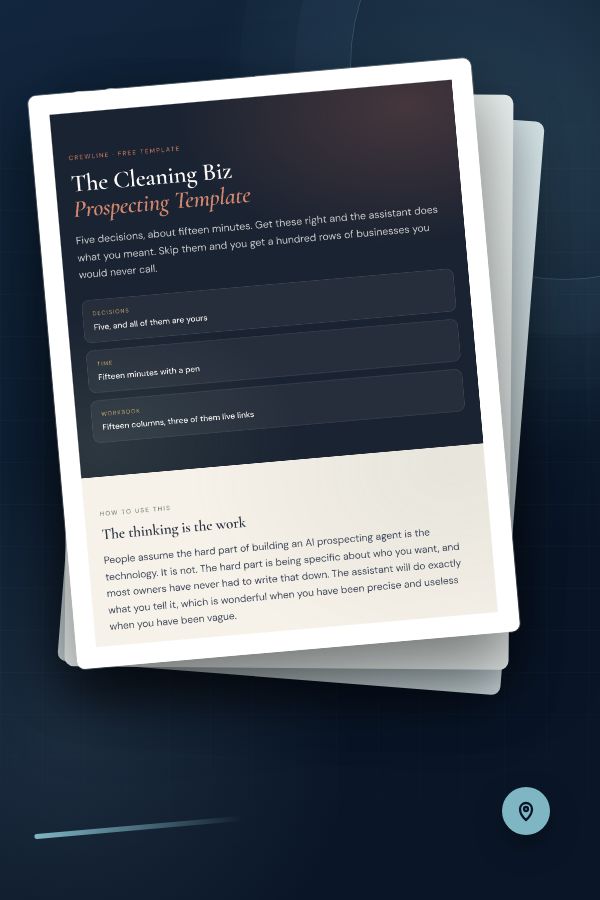
Free template
Get the Cleaning Biz Prospecting Template
The brief, workbook structure, verification rules, and statuses are ready to use. Enter your email and we’ll send a confirmation link first. Confirm once and the template will arrive in your inbox.